Organization Onboarding
Organization Onboarding Requirements
Before applying for onboarding, the organization must meet the following conditions:
- Complete Organization Information
- Must fill in complete organization information, including the organization name, description, contact information, etc.
- Need to import relevant projects to ensure that the projects have a certain level of completeness and applicability.
- Regular Maintenance and Updates
- The organization needs to regularly maintain project code, update Issues, handle Pull Requests, and participate in discussions to ensure a good user experience.
- It is recommended to set an update frequency to keep the information up-to-date and respond promptly to community feedback.
Organization Onboarding Benefits
- [Onboarding Support]: Detailed help documentation and human support to help you migrate quickly.
- [Official Promotion]: Excellent projects and organizations can contact staff to promote on the official website. Promotion spots: (1) Homepage of the official website; (2) User Dashboard (only displayed when the user has no followed activities); (3) GitCode Official Community
- [Event Promotion]: Excellent operational events organized by the onboarded organization can apply for promotion on the GitCode official community.
If the organization wants to apply for onboarding, it can self-onboard or contact online customer service or call 400-6868-951 for assistance.
Organization Onboarding Process
One, Create an Organization
See >> Create Organization for details on creating an organization.
Two, Complete Organization Settings
Enter “Organization Settings”, complete the organization setup so that users who enter the organization homepage can quickly understand the organization.
1. Basic Settings
Complete the configuration of the organization information introduction, allowing users to understand the organization more quickly.
- Prepare in advance: Organization logo, organization introduction, official organization, etc.

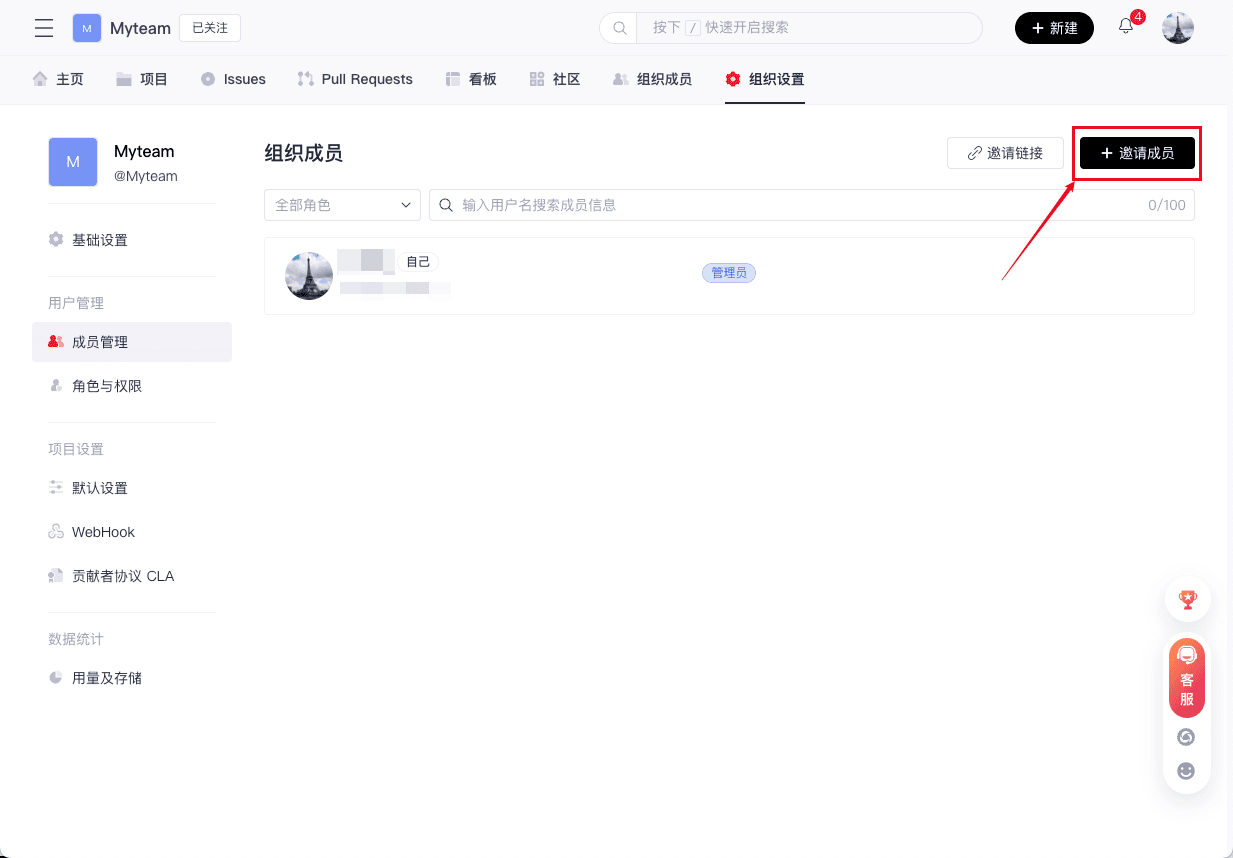
2. Member Management
You can invite members or manage members.
3. Import Projects
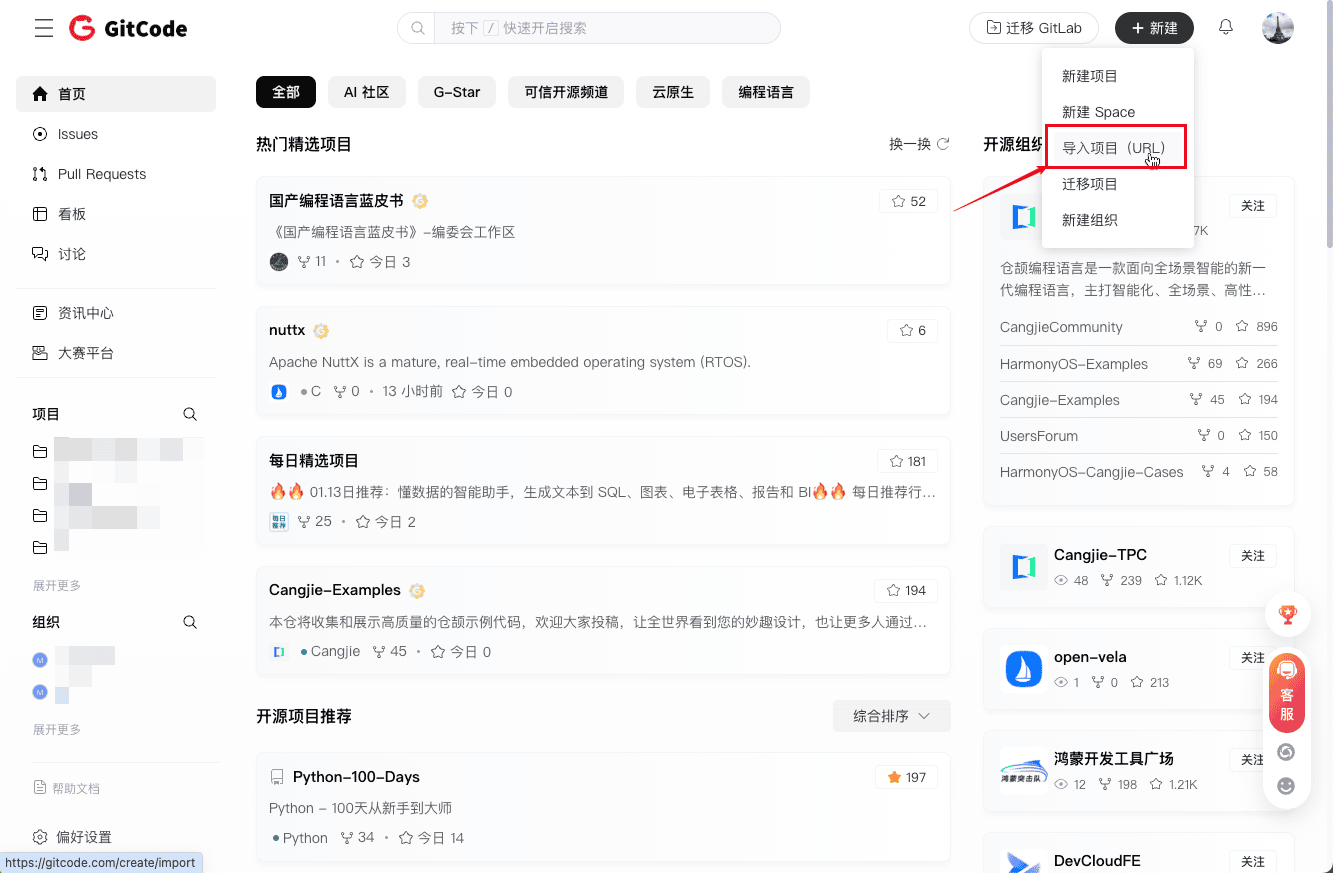
GitCode provides a function to import projects via URL, allowing you to easily import external repositories into GitCode for further management, collaboration, and version control. Whether your project source code is hosted on another platform or your own server, GitCode's import feature can help you seamlessly migrate it to GitCode.
Start importing: Import Project
Operation process: Help Documentation
If the organization wants to apply for onboarding, it can self-onboard or contact online customer service or call 400-6868-951 for assistance.
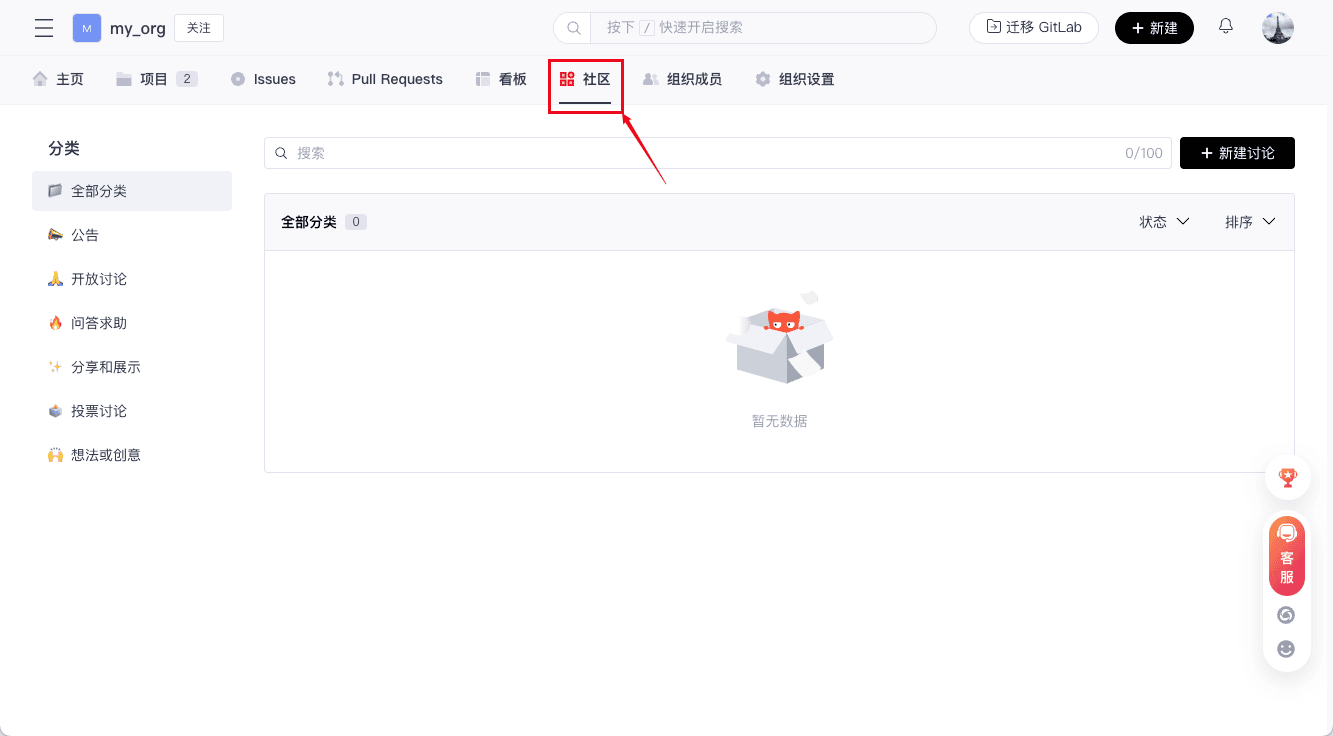
4. Discussions
Organizational discussions (projects also have their own discussion features) support users in creating and managing discussion topics within the organization. Through extensive discussions and collaborative exchanges, team members can better cooperate, solve problems, and share insights. See >> Organization Community.
5. Usage and Storage
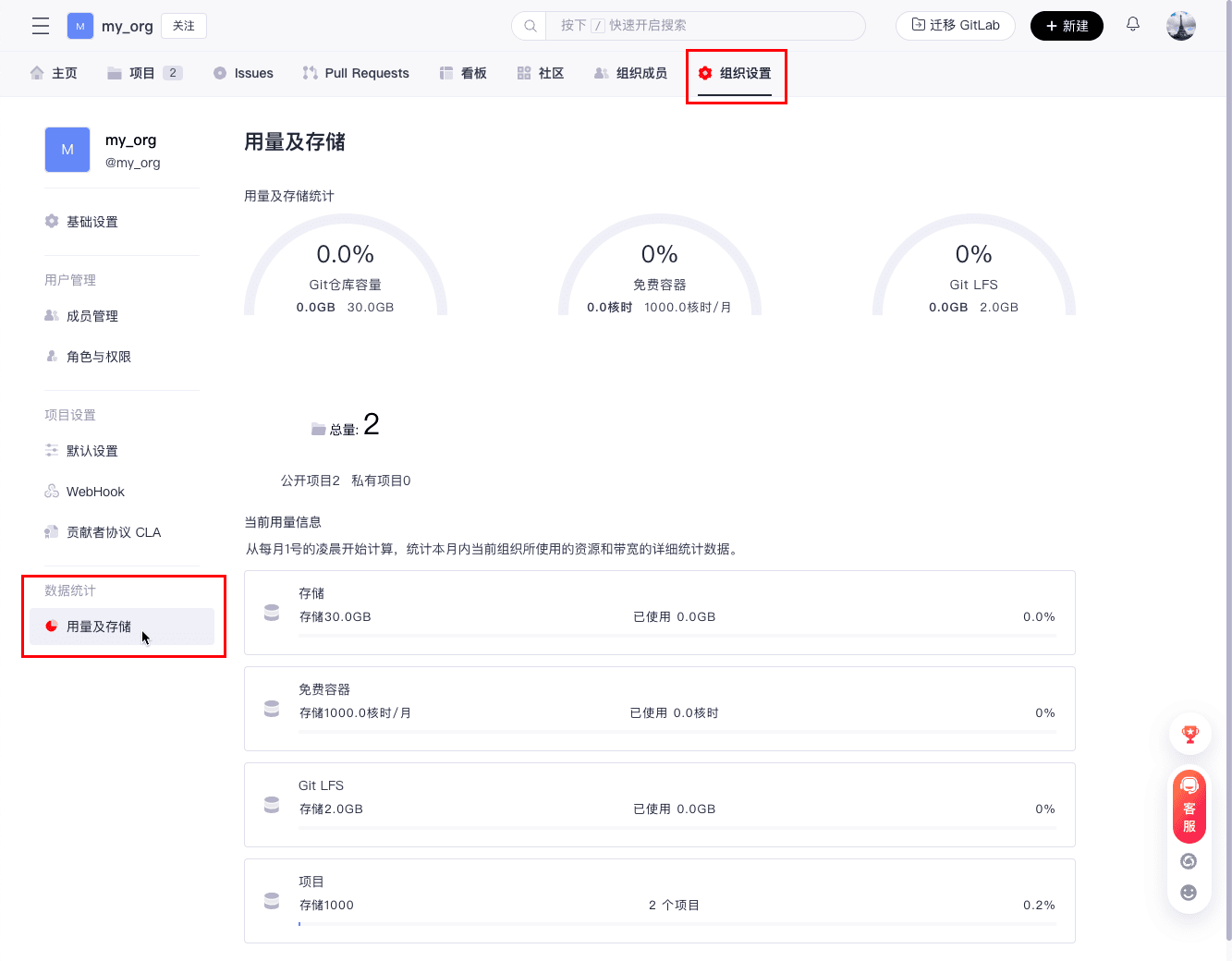
After clicking “Organization Settings”, then click “Usage and Storage”, you can quickly view the resource usage of the repository, including repository usage and storage statistics, etc.