Git Attributes
提示
.gitattributes is a configuration file in Git projects used to define file attributes to better control how files are processed and displayed.
By adding a .gitattributes file to your project, you can set attributes for specific files or file types, thereby optimizing version control and collaboration. Main functions include:
- File Encoding: Define the encoding of files to ensure they are correctly interpreted across different operating systems and editors
- Line Ending Format: Specify the line ending format of files, such as Unix (LF), Windows (CRLF), or Mac (CR)
- Merge Strategy: Configure the strategy used when merging files to avoid conflicts and ensure proper merging
- Binary File Handling: Define how binary files are handled so they are not misinterpreted as text files
- Git LFS Support: Specify which files should be managed by Git LFS (Large File Storage), thus optimizing version control for large files.
By properly configuring .gitattributes, you can significantly improve the performance and collaboration efficiency of your Git project.
Creating a .gitattributes File
- Log in to GitCode: First, make sure you are logged into your GitCode account
- Enter the Project: Go to the project page that contains the project where you want to create the .gitattributes file
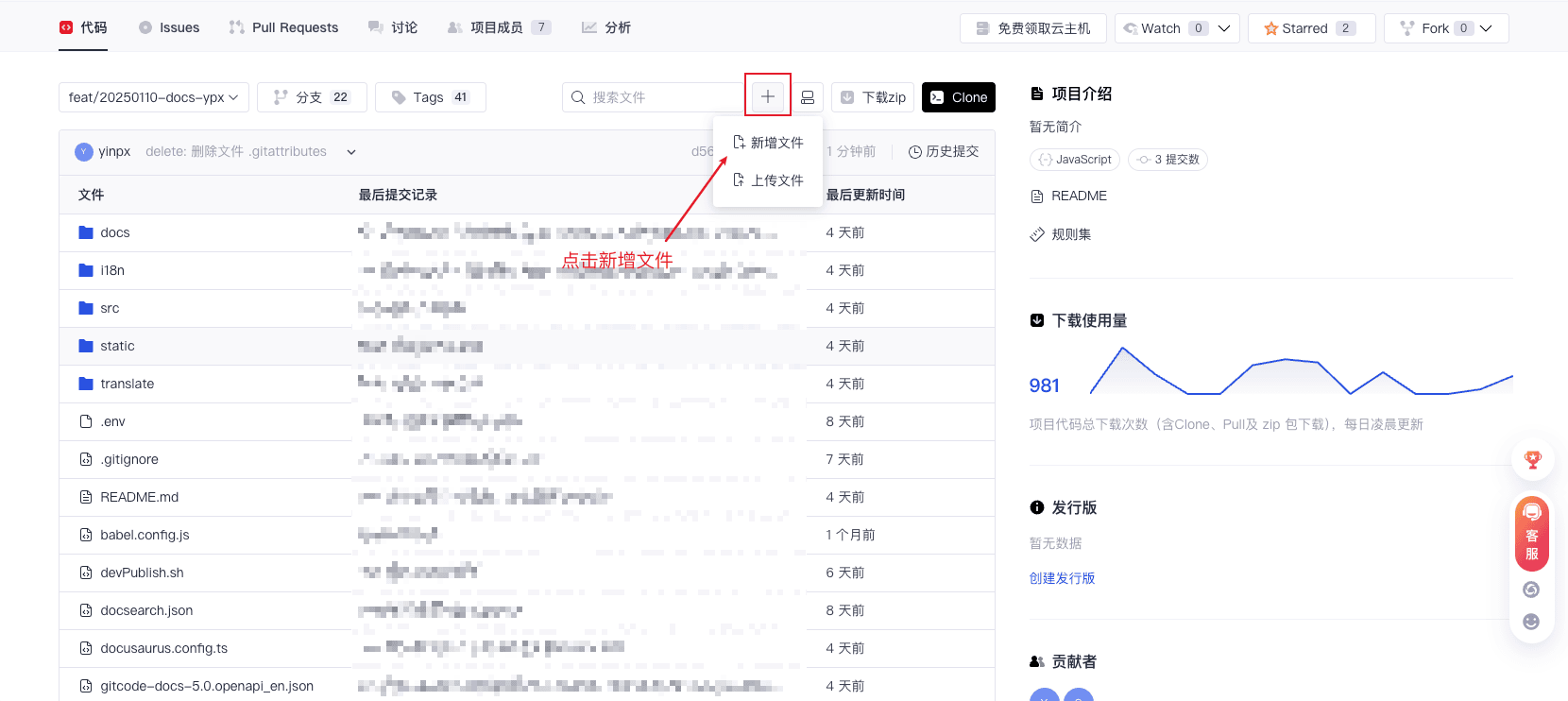
- Click Add File: In the top right corner of the project page, click the “+” button and select "New File"
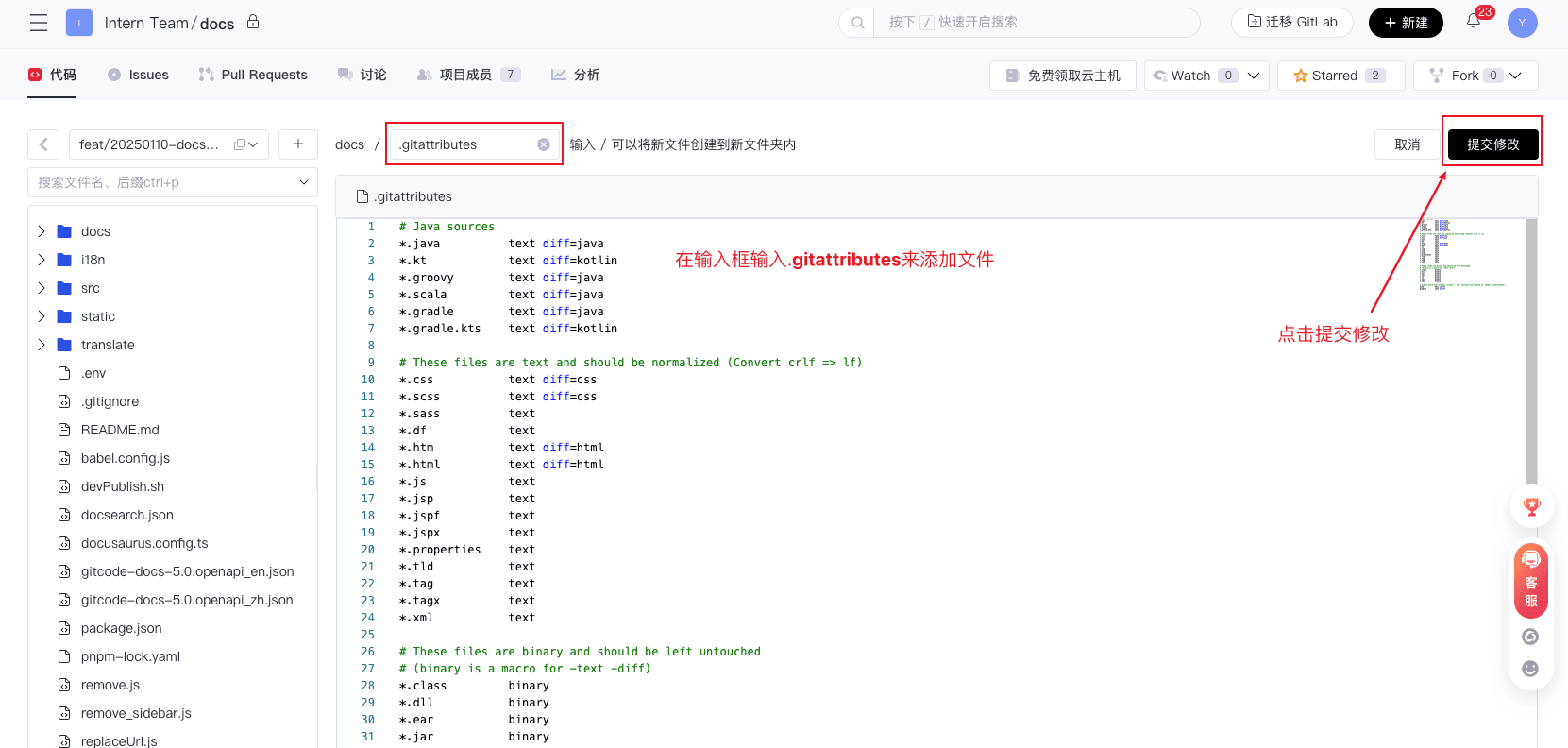
- Name the .gitattributes File: In the file name field, enter ".gitattributes" (Make sure the file name starts with a dot)
- Define File Attributes: In the file, define file attributes and rules. For example, you can set the encoding, line ending format, and merge strategy of the file
- Click "Commit Changes": In the top right corner of the page, click the "Commit Changes" button to save the .gitattributes file
Examples
Here is an example of a Java code file:
# Java sources
*.java          text diff=java
*.kt            text diff=kotlin
*.groovy        text diff=java
*.scala         text diff=java
*.gradle        text diff=java
*.gradle.kts    text diff=kotlin

# These files are text and should be normalized (Convert crlf => lf)
*.css           text diff=css
*.scss          text diff=css
*.sass          text
*.df            text
*.htm           text diff=html
*.html          text diff=html
*.js            text
*.jsp           text
*.jspf          text
*.jspx          text
*.properties    text
*.tld           text
*.tag           text
*.tagx          text
*.xml           text

# These files are binary and should be left untouched
# (binary is a macro for -text -diff)
*.class         binary
*.dll           binary
*.ear           binary
*.jar           binary
*.so            binary
*.war           binary
*.jks           binary

# Common build-tool wrapper scripts ('.cmd' versions are handled by 'Common.gitattributes')
mvnw            text eol=lf
gradlew         text eol=lf
More examples can be found at https://atomgit.com/gh_mirrors/git/gitattributes