Cherry Pick
CherryPick is used to select specific commits from one branch and apply them to another branch, without merging the entire branch's changes. This allows you to selectively introduce code changes with great precision, without merging the entire branch.
Its name comes from "cherry-picking," as you only select the "fruits" (commits) you need.
Use Cases
- Extracting specific features or fixes from a development branch:
For example, you have completed an important fix in the dev branch but need to apply it to the main branch.
- Borrowing code from another person's branch:
When there is a commit in another developer's branch that is useful to you, you can directly extract that commit into your branch.
- Sharing a single commit between branches:
Reuse certain features or fixes across different branches without merging all changes.
How to Use Cherry-Pick
Basic Steps to Cherry-Pick a PR
- After clicking on "Pull Requests" on the project page, select the PR you want to Cherry-Pick.
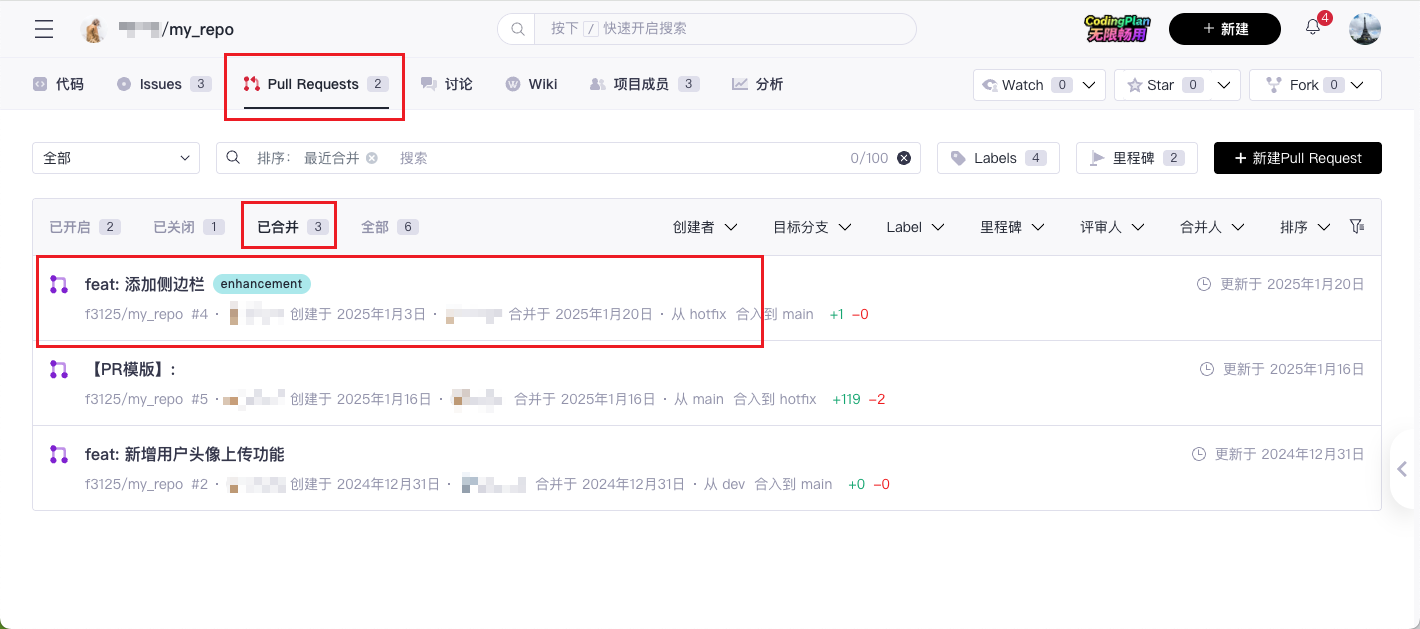
- On the PR details page, click the "Cherry-Pick" button on the "Discussion" or "Commits" tab.

- In the pop-up confirmation box, select the branch you want to Cherry-Pick this PR into and click "Submit".

- Review and Merge:
If you check "Create a new Pull Request for Cherry-Pick", you will enter the new Cherry-Pick Pull Request page. After clicking "Create", the PR will enter the review process. Once approved, the selected commit will be applied to the target branch.
Basic Steps to Cherry-Pick a Single Commit
- Click on "History Commits" on the project details page to view the list of historical commits.

- Select the commit you want to Cherry-Pick.

- Click on the "..." in the top right corner of the commit details page and select "Cherry-Pick" to Cherry-Pick this commit into the target branch.

Basic Steps to Cherry-Pick to a Forked Project
- After clicking on "Pull Requests" on the project page, select the PR you want to Cherry-Pick.
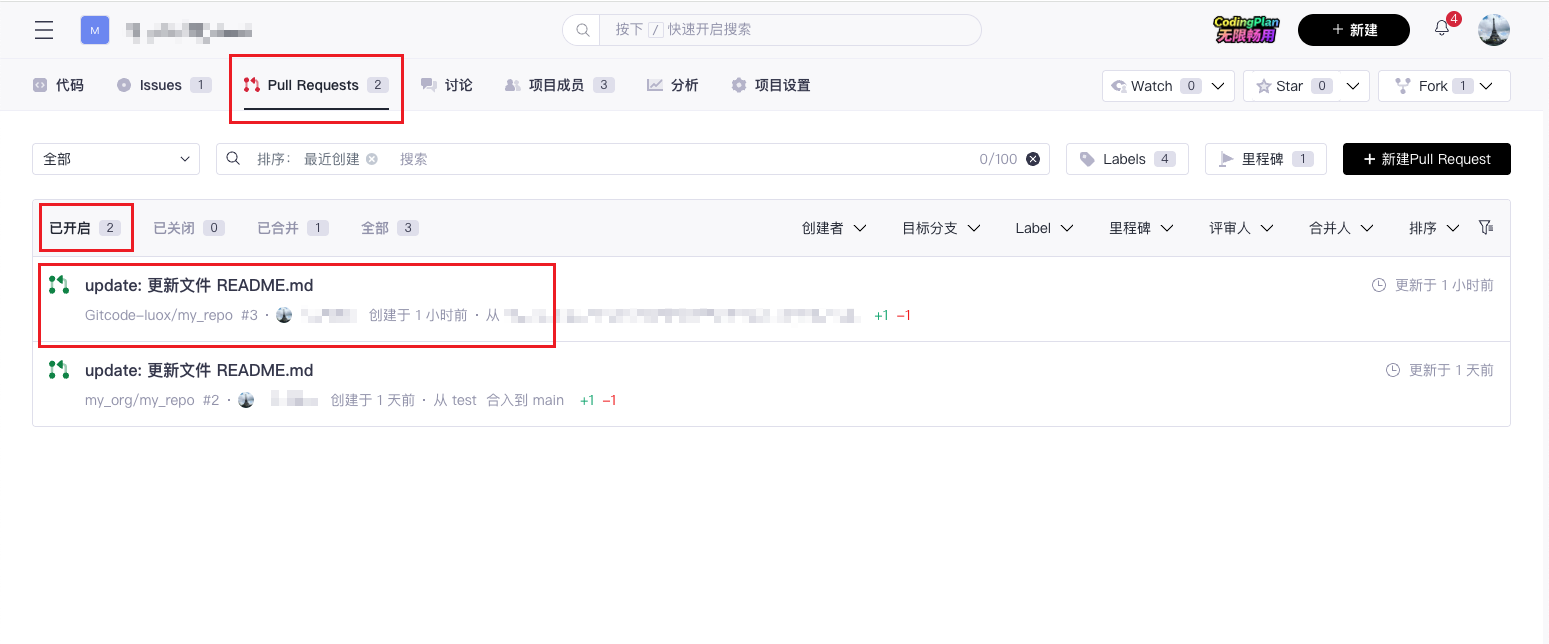
- On the PR details page, select the corresponding commit on the "Commits" tab and click the "Cherry-Pick" button.
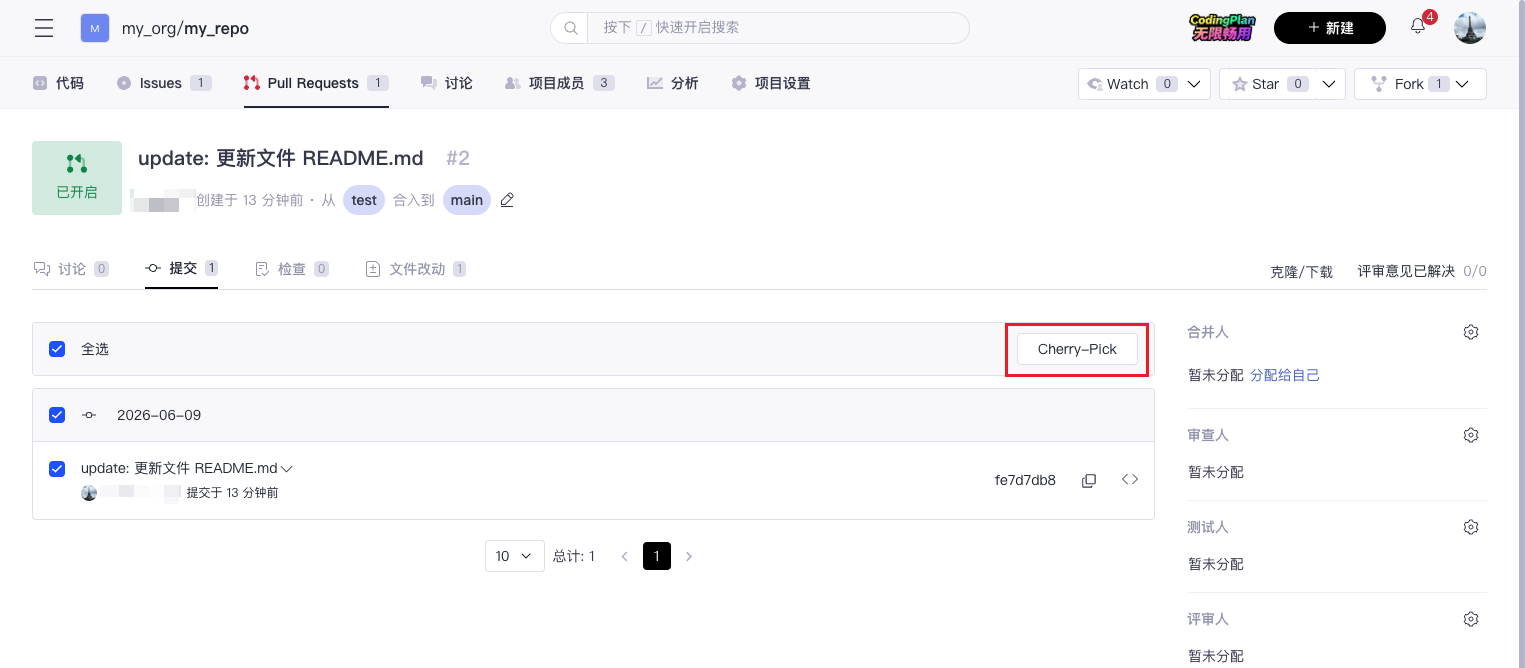
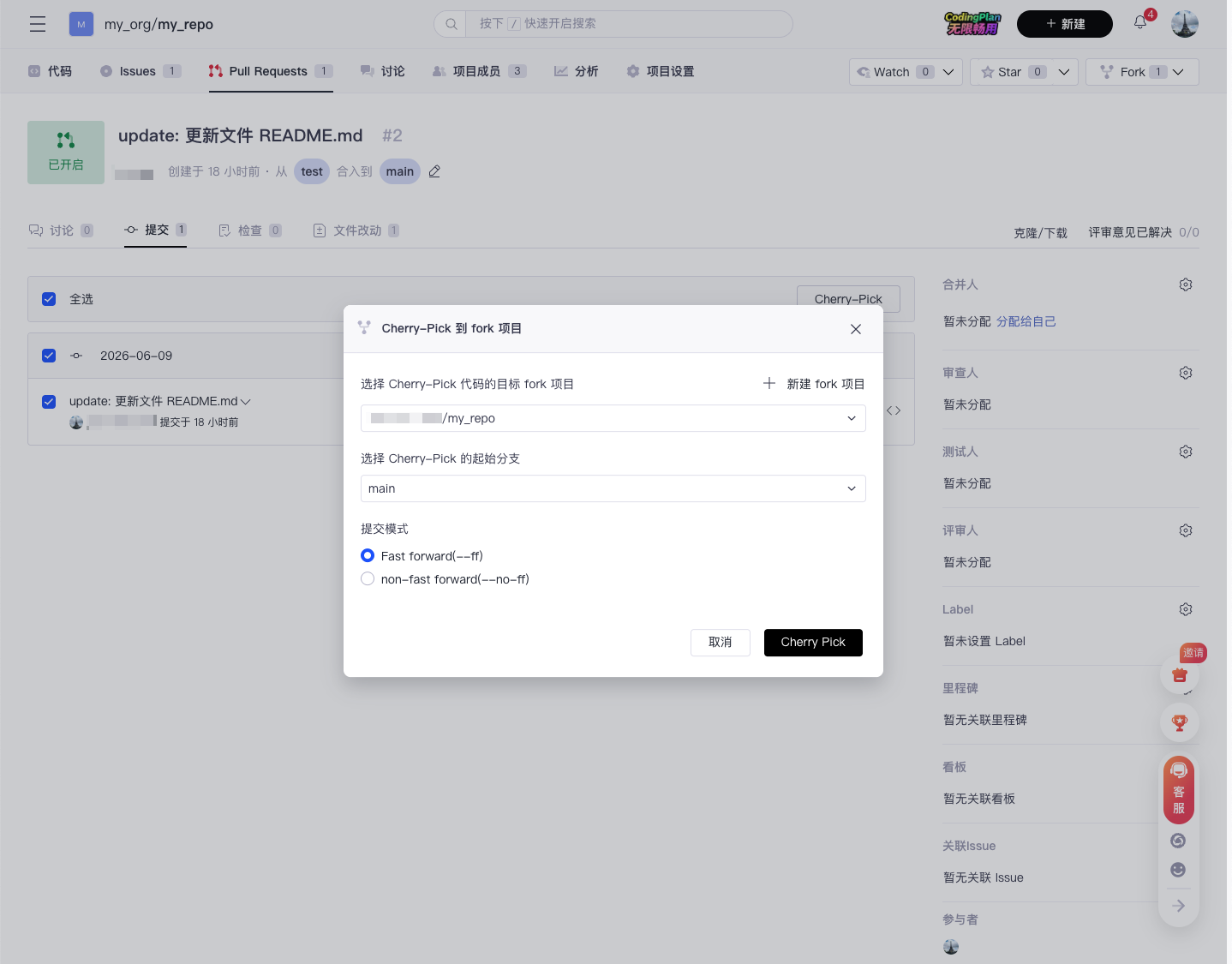
- In the pop-up confirmation box, select the forked project and branch you want to Cherry-Pick this PR into, then click "Submit".
Note: Cherry-Pick also has some limitations:
- Conflicts may be introduced: If the selected commit conflicts with other changes in the target branch, you need to manually resolve these conflicts.
- Commit history may become messy: Frequent use of Cherry-Pick may make the commit history complicated, so it should be used with caution.
Cherry-Pick allows developers to move commits flexibly between branches. When using it, pay attention to conflict resolution and dependencies to ensure code stability and consistency.