How to Create a New Collection
A collection is like a folder that organizes related models, datasets, tutorials, and other content for easier searching and use. For example, you can create a "Introduction to Deep Learning" collection containing relevant tutorials, sample code, and models.
Creation Steps
Step 1: Log in to the Platform
- Open your browser and visit the AtomGit platform
- Click the "Login" button at the top right
- Enter your username and password
Step 2: Start Creating
- After logging in successfully, click the "Create Collection" button on the page
- Or click "Collections" → "New Collection" in the navigation bar
Step 3: Fill in Information
On the creation page, you need to fill in the following information:
- Collection Name (give the collection an easy-to-remember name, such as "Python Introduction Tutorial")
- Collection Description (briefly explain what this collection is for, such as "Python learning materials for beginners")
Step 4: Set Permissions
Choose who can see your collection:
- Public (everyone can see and use it)
- Private (only you can see it)
Step 5: Complete Creation
- Check if the filled-in information is correct
- Click the "Create" button
- Wait a few seconds, and the collection will be created successfully
Collection Type Explanation
Tutorial Collection
Suitable for organizing learning materials: basic concept introduction, operation steps explanation, common questions and answers, practice assignments.
-
Project Collection is suitable for organizing project-related content: project introduction documents, used models and datasets, results display, and project summary.
-
Model Collection is suitable for organizing related models: model introduction, usage instructions, performance comparison, and application examples.
Content Organization Suggestions
Organize by Difficulty
Beginner Collection
├── Lesson 1: Basic Concepts
├── Lesson 2: Simple Operations
└── Lesson 3: Small Project Exercises

Advanced Collection
├── Advanced Techniques
├── Practical Projects
└── Optimization Methods
Organize by Topic
Image Processing Collection
├── Image Classification
├── Object Detection
└── Image Segmentation

Natural Language Collection
├── Text Classification
├── Machine Translation
└── Question Answering System
Useful Tips
Naming Suggestions
- Use simple and clear names
- Avoid using special characters
- You can use Chinese names
- The name should clearly indicate the content of the collection
Description Suggestions
- Explain which level of users it is suitable for
- List the main contents included
- Explain what can be achieved after learning
- You can add usage suggestions
Frequently Asked Questions
What to Do If Creation Fails?
- Check if the network connection is normal
- Confirm if the filled-in information is complete
- Try refreshing the page and creating again
- Contact customer service for help
How to Modify Collection Information?
- Enter the collection page
- Click the "Edit" button
- Modify the information you want to update
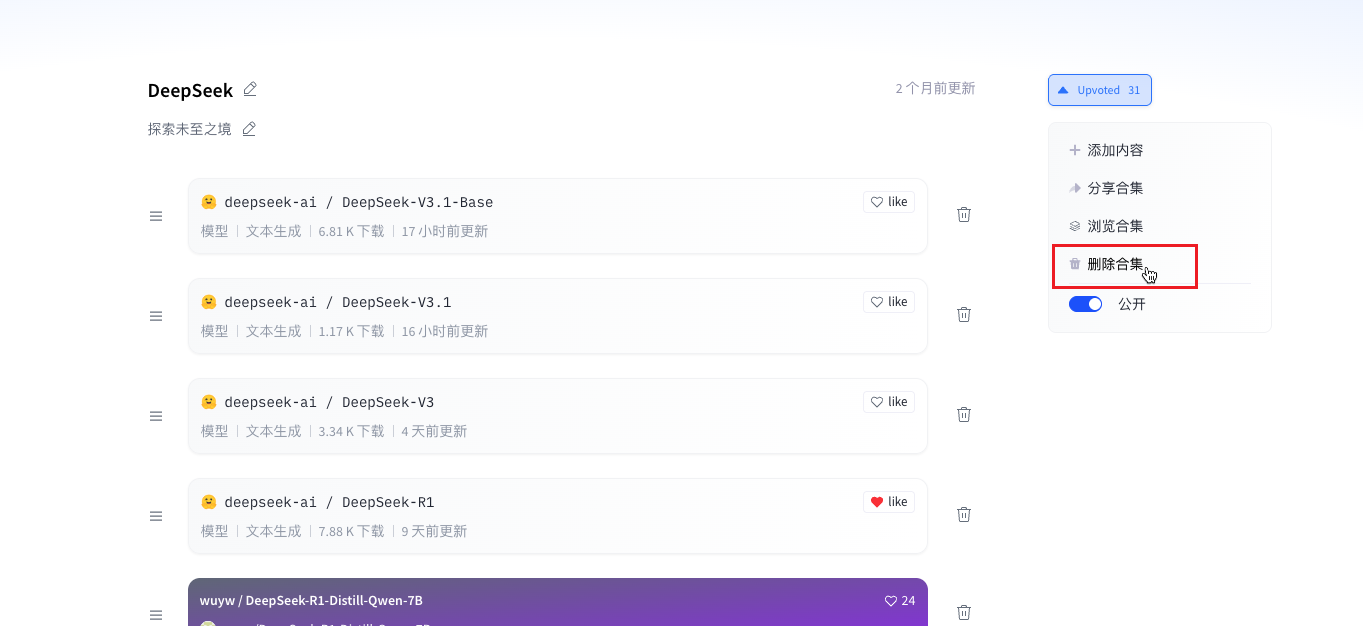
How to Delete a Collection?
- Go to the collection settings page
- Find the "Delete Collection" option
- Confirm the deletion action
- Note: Once deleted, it cannot be recovered
Next Steps
After creating the collection, you can:
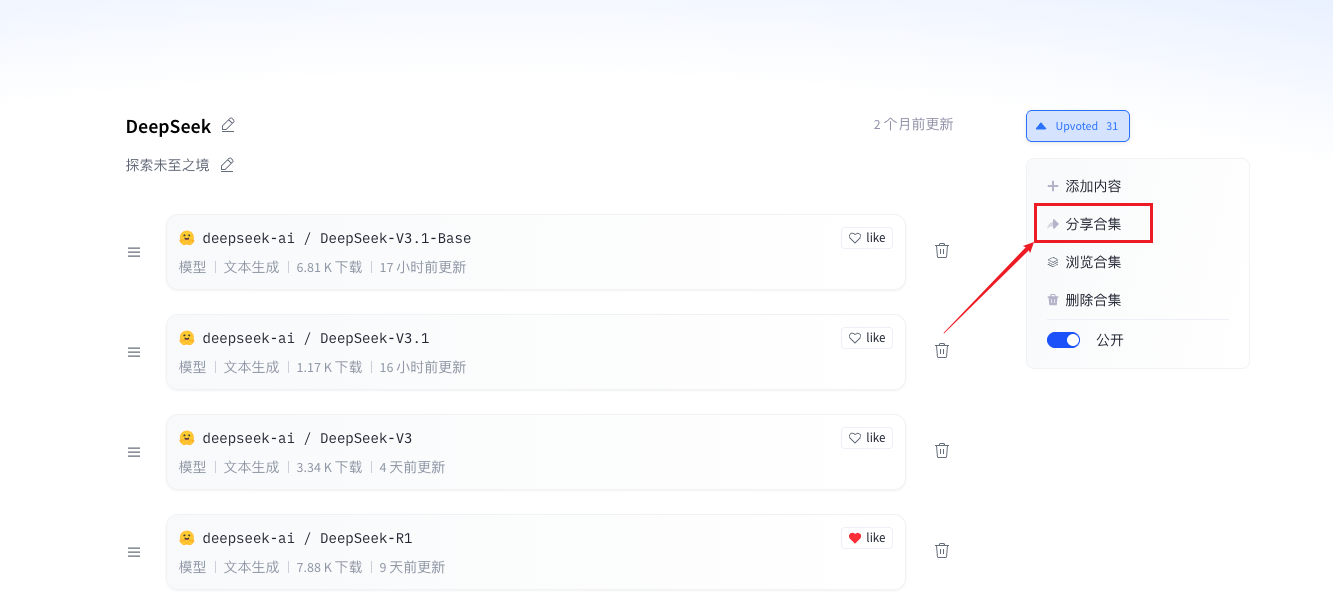
- Add Content: Add related models, datasets, etc., to the collection
- Share Link: Share the collection with those who need it